Brief her in chat
Describe the shot like you would to a photographer. Attach product shots from Ingredients and reference them with @image tokens — "put the product in @image1 on the marble in @image2."
Awa · AI Creative Assistant
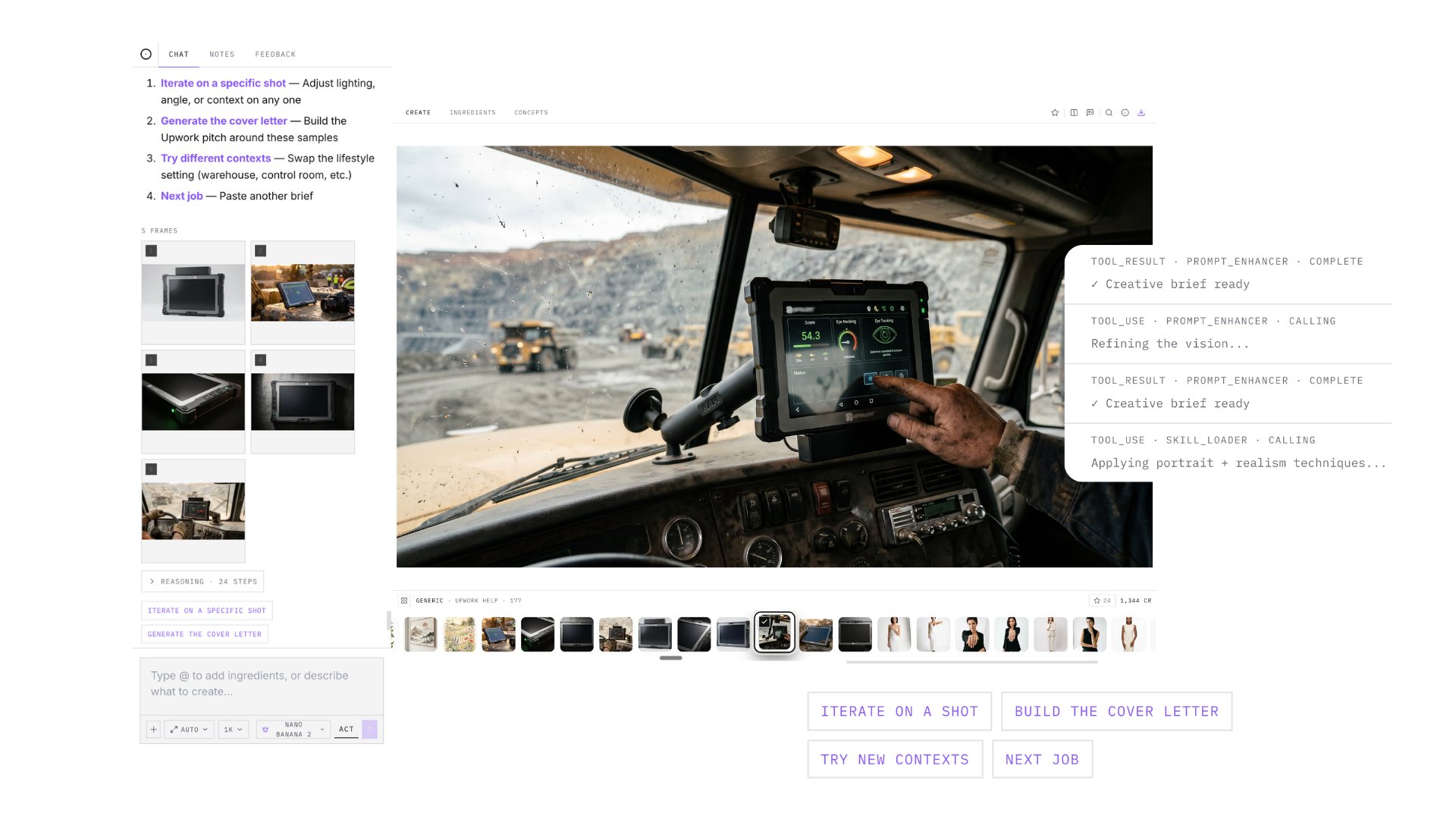
Awa is your AI creative assistant, trained in the skill of AI photography. Describe the shot in plain language. She writes the optimized prompt, generates the frames, checks the result, and iterates with you until it's client-ready.
How it works
Awa runs the whole loop in one chat — no prompt engineering, no tab juggling.
Describe the shot like you would to a photographer. Attach product shots from Ingredients and reference them with @image tokens — "put the product in @image1 on the marble in @image2."
Awa turns your brief into a structured Visual Syntax prompt — style, subject, action, scene, camera — instead of gambling on loose wording.
Frames stream straight into your campaign canvas. The vision critic checks outputs for quality issues so off-target results get caught early.
Reply to any frame with edit instructions and Awa makes surgical image-to-image edits. Use Plan mode to align on the approach before spending credits.
Awa is more than a generation box. She has the tools a working creative needs on real client projects.
Keep exploring
Chat, canvas, comparison, and favorites — the workspace where every Awa session happens.
Learn moreSave the prompts and settings that worked, then reuse them on recurring client work.
Learn moreGet client sign-off on direction before you brief Awa on production.
Learn moreStop prompting blindly. Work with an assistant trained in AI photography.