
Pick a recipe
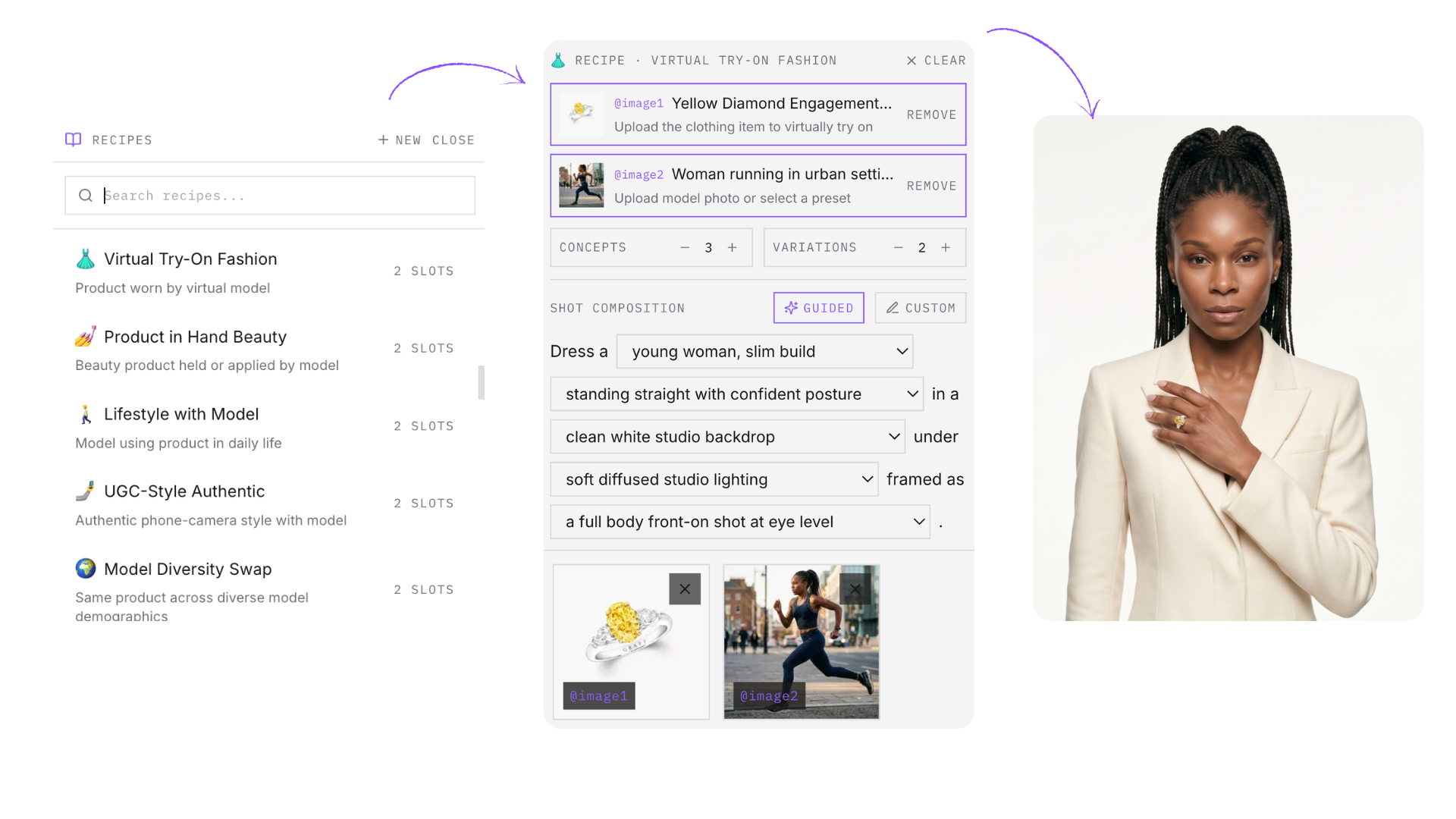
Open the recipe picker in chat and browse ready-made templates — or your own saved recipes.
Recipes
A recipe is a saved setup: prompt, ingredient slots, and guided composition settings. Pick one, drop in the client's product, and generate — no prompt writing, no starting from zero on recurring work.
How it works
Recipes turn one-off wins into a repeatable production system.
Open the recipe picker in chat and browse ready-made templates — or your own saved recipes.
Each recipe has ingredient slots — product photo, model image, logo. Fill them from your brand library.
Adjust composition through guided dropdowns — subject, action, environment, lighting, camera — instead of rewriting the prompt.
When a setup wins with a client, save it: name, base prompt, ingredient slots, and guided parameters. Private to you, ready for next month.
Everything a setup needs to be repeatable — not just the prompt.
Keep exploring