
Check plan and credits
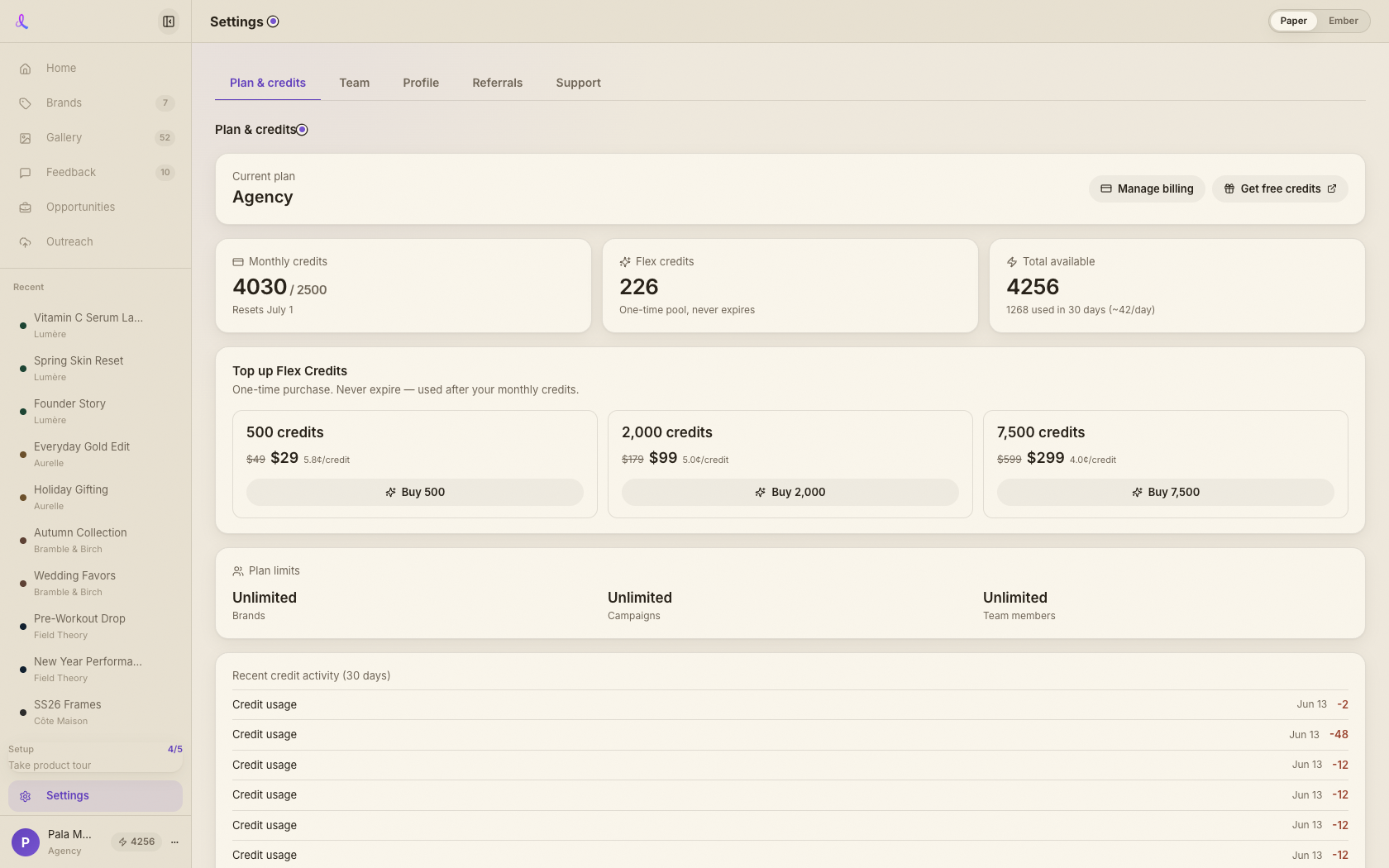
The Plan & credits tab shows your subscription, your monthly, flex, and total balances, Flex-pack top-ups, and a link to the billing portal.
Settings · Your account hub
Settings is your account hub: see your plan and credits, manage your team and share-page watermark, edit your profile, grab your referral link, and reach support.
How it works
Plan, team, profile, referrals, support — five tabs, each deep-linkable, so account management isn't buried in a single narrow column anymore.
The Plan & credits tab shows your subscription, your monthly, flex, and total balances, Flex-pack top-ups, and a link to the billing portal.
The Team tab holds your team name, an invite link, the member list, and your share-page watermark — upload or replace it and toggle it on by default.
Edit your display name and password on Profile, copy your referral link with its conversion stats, and reach the Help Center or email from Support.
The full account surface — billing, team, identity, and growth.
Keep exploring
Plan, team, profile, and referrals — all in one tabbed hub.