
Read your brand wall
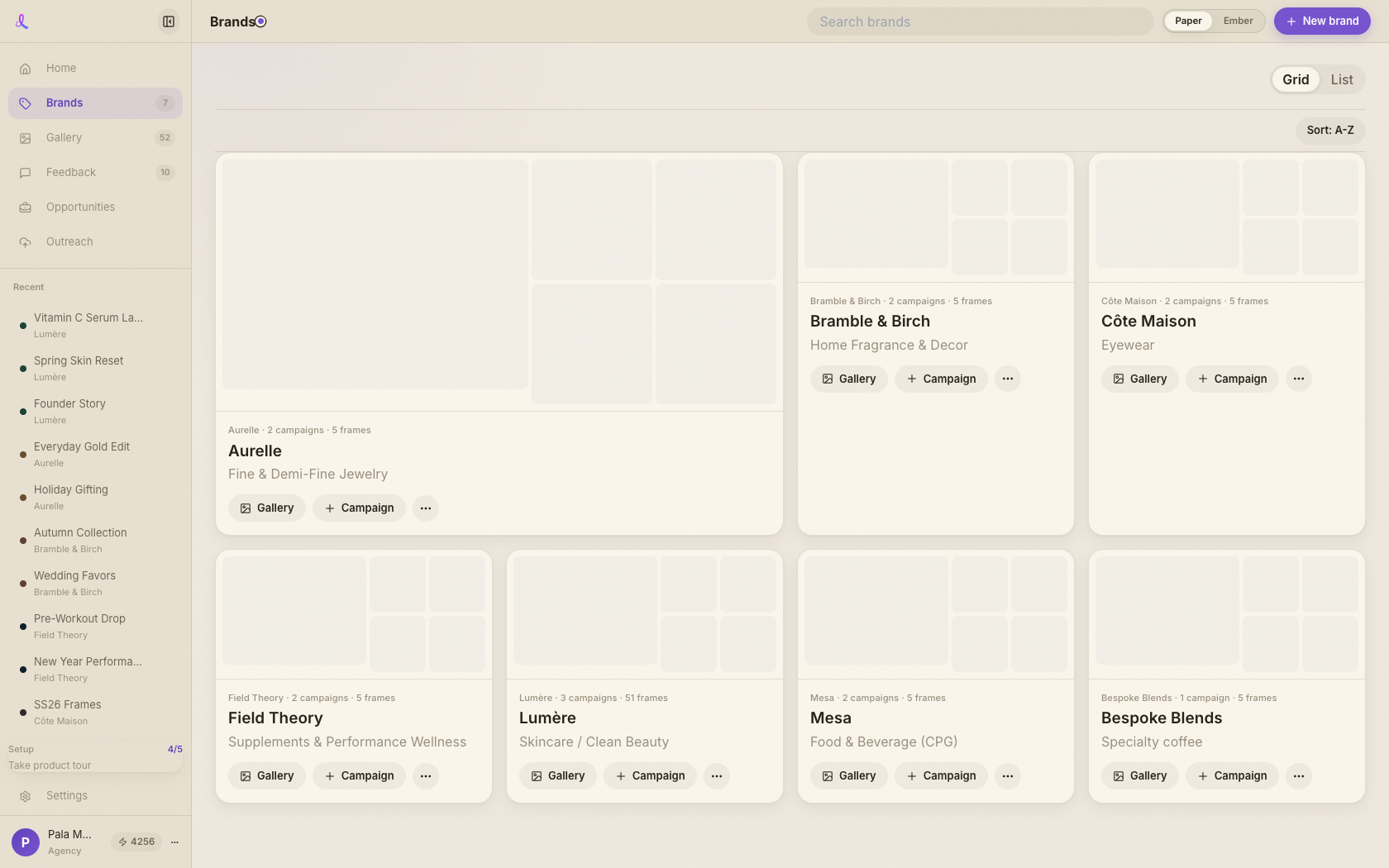
Each card is one client. The image mosaic is that brand's most recent frames; the line under it counts its campaigns and frames. The top of the page sums it all up — brands, campaigns, total frames.
Brands · Your clients, organized
Brands is your home wall — one card per client, each showing its latest work, its campaigns, and a way in. Create a brand, open it to its campaigns, and search or sort the whole shelf at a glance.
How it works
A brand holds a client's colors, voice, and visual style; its card shows the latest frames and campaigns. Land on the wall, pick a brand, and you're one click from the work.
Each card is one client. The image mosaic is that brand's most recent frames; the line under it counts its campaigns and frames. The top of the page sums it all up — brands, campaigns, total frames.
Click New brand to open the import drawer. Paste a website URL and Dezygn reads the live site to fill colors, voice, and visual style — or fill it in by hand. (That drawer has its own walkthrough.)
Click a card to open the brand and see its campaigns. Or use the card buttons to jump straight to that brand's Gallery, or start a new Campaign under it.
Search by brand name to filter the wall, flip Sort between Recently used and A–Z, and toggle Grid or List in the header to suit how you scan.
A single, scannable home for every client you create for.
Keep exploring
Paste your website URL and Dezygn browses the live site to build a ready-to-use brand — colors, fonts, tone, and visual style — that Awa uses on every shot.
Learn moreAwa is the conversational AI creative director inside every campaign — she writes the prompts, runs the shoot, critiques the results, and remembers your brand, so you direct in plain English.
Learn moreBuild a brand once and every campaign, frame, and shoot lives under it — ready the moment you sit down to create.