
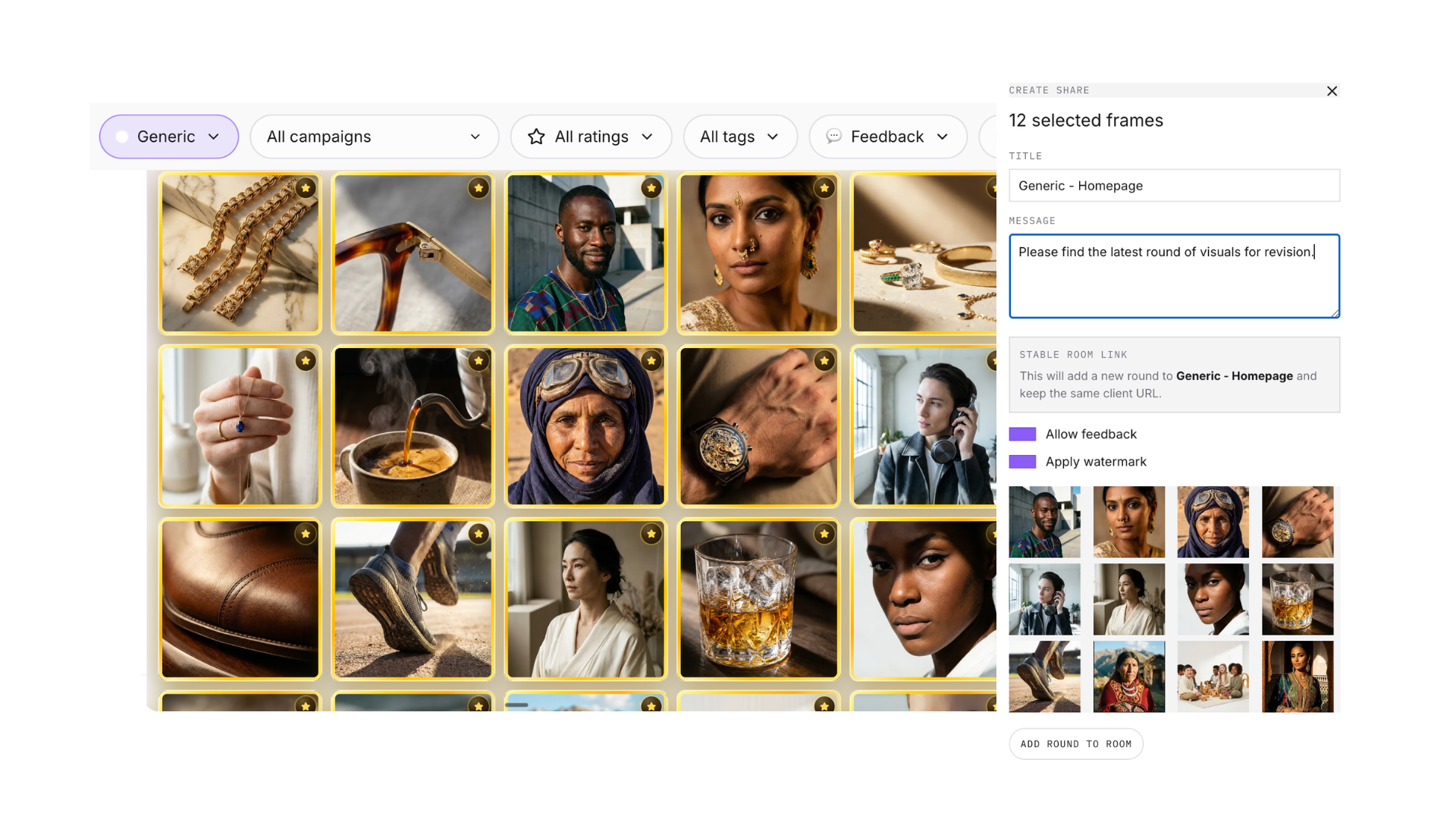
Share a review round
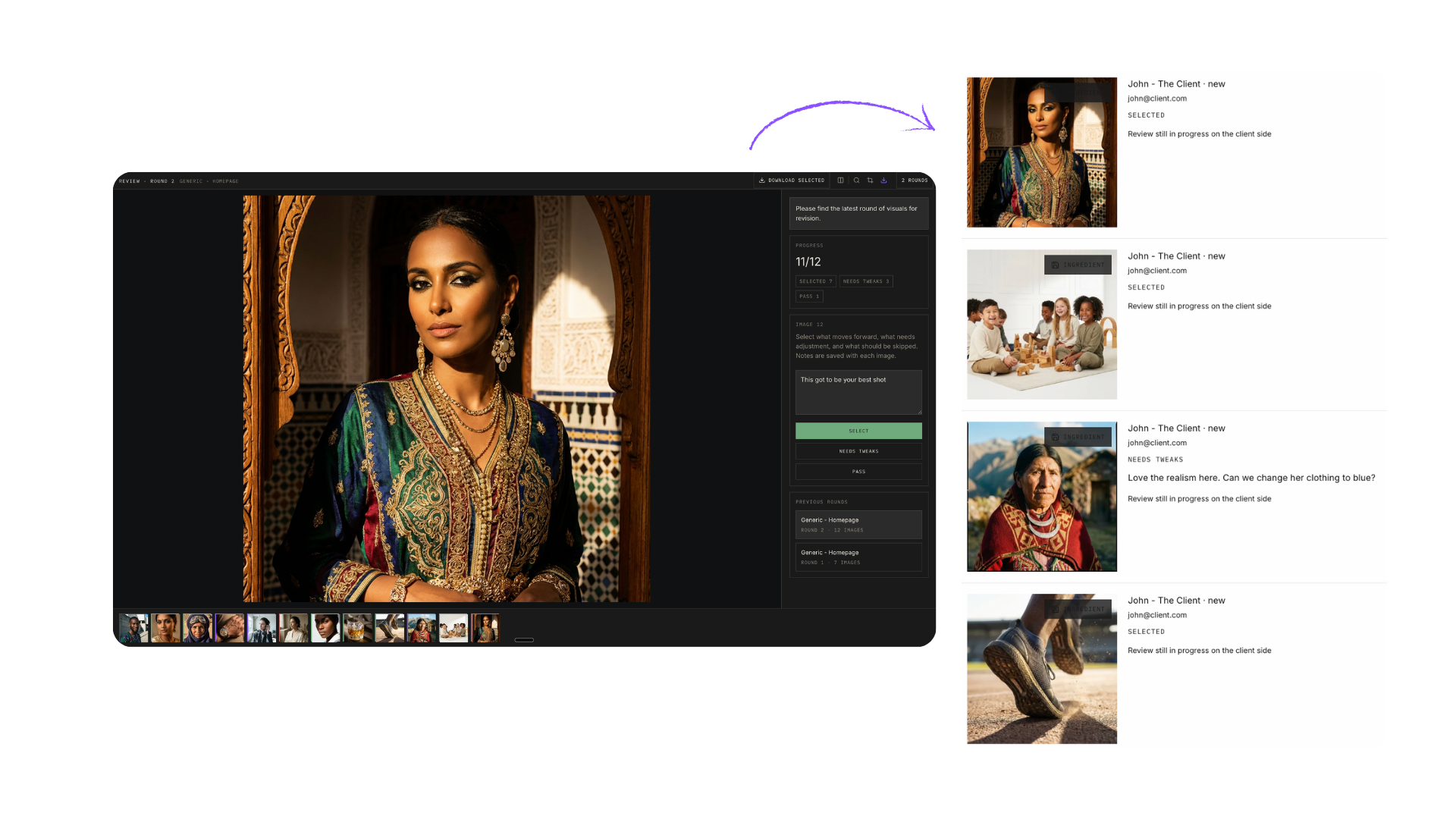
Send your selected frames to the client as a public review page. They rate and comment on each visual in the browser — no seat, no login.
Feedback · Review Inbox
No more Dropbox links and email threads. Clients review your visuals on a shared page — rating and commenting without an account — and every response lands in one inbox that routes you straight back to the source campaign.
How it works
Review rounds, not scattered messages — every response is tied to the frame and campaign it came from.
Send your selected frames to the client as a public review page. They rate and comment on each visual in the browser — no seat, no login.
The Feedback page collects every review round — visual and concept — across all brands and campaigns. Filter by status, review kind, or brand, with unread counts and response summaries per round.
Open the public round, jump to the source campaign, mark read, archive, or delete — from the full inbox or the quick bell drawer in the top nav.
Inside the campaign, feedback is grouped by round with Selected, Needs Tweaks, and Pass tallies. One click sends a "needs tweaks" comment to chat — focused on the reviewed image, with the client’s note drafted into a revision prompt.
Feedback is a first-class surface, not a filter buried in the gallery.
Keep exploring
Run the same review loop earlier — get direction approved before production starts.
Learn moreFavorite your best frames and send them to client review in one click from the gallery.
Learn moreClient asked for tweaks? Hand the note to Awa and revise the exact frame in chat.
Learn moreOne link out, one inbox back. Every client comment lands where the work happens.