
Browse your gallery
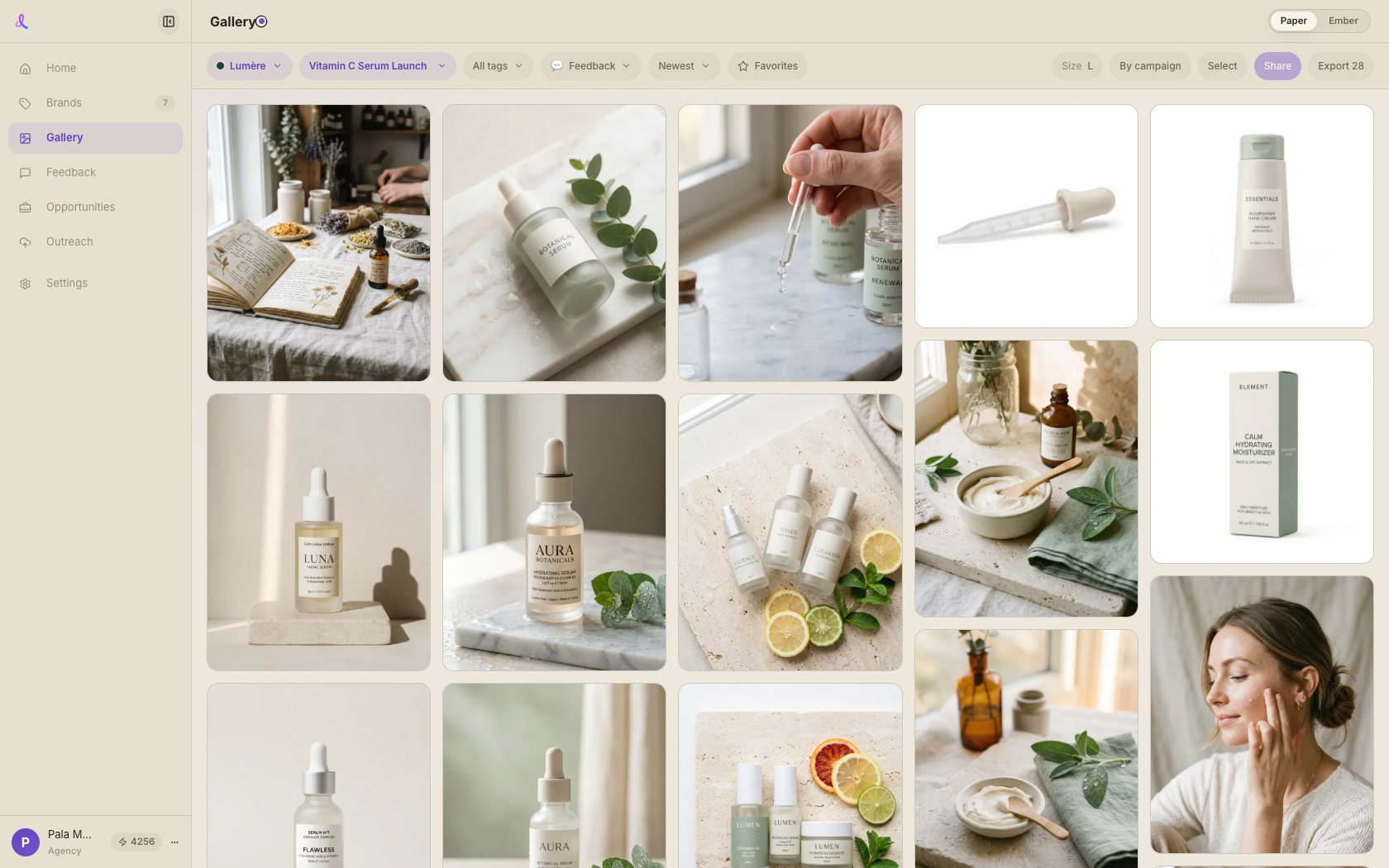
Every frame you've generated shows up here as a contact sheet. Cycle tile size (S / L / XL) or group by campaign to scan faster.
Gallery · Every frame you've made
Every frame from every campaign lands here — filter to the ones you want, star the keepers, then share a clean review room with your client or export them in one zip.
How it works
Browse everything you've made, narrow it down to the winners, and move them onward — into a review room or a download — without leaving the page.
Every frame you've generated shows up here as a contact sheet. Cycle tile size (S / L / XL) or group by campaign to scan faster.
Narrow by brand, campaign, tag, favorites, or feedback status — Selected, Needs tweak, Pass — and sort newest or oldest.
Tap the star to favorite a keeper. Hit Select to pick several frames at once — that selection is what you share, export, or turn into a video or collage.
With frames selected, hit Share. Dezygn reuses this campaign's review room or spins up a fresh one and hands you one stable client link.
Prefer files? Export zips the current filtered view — or just your selection — into one download.
One place that holds every frame and every way you'd want to act on it.
Keep exploring
Star the winners in your gallery, share one clean review room, and let your client approve or comment image-by-image — feedback flows straight back to your workspace to revise and re-share until it's approved.
Learn moreAwa is the conversational AI creative director inside every campaign — she writes the prompts, runs the shoot, critiques the results, and remembers your brand, so you direct in plain English.
Learn moreEvery shot you've made, one filter away — then straight to your client or your desktop.