
See your best work first
The Favorites mosaic up top holds every frame you've starred. Click any tile to jump straight back to the campaign it came from.
Home · Your studio at a glance
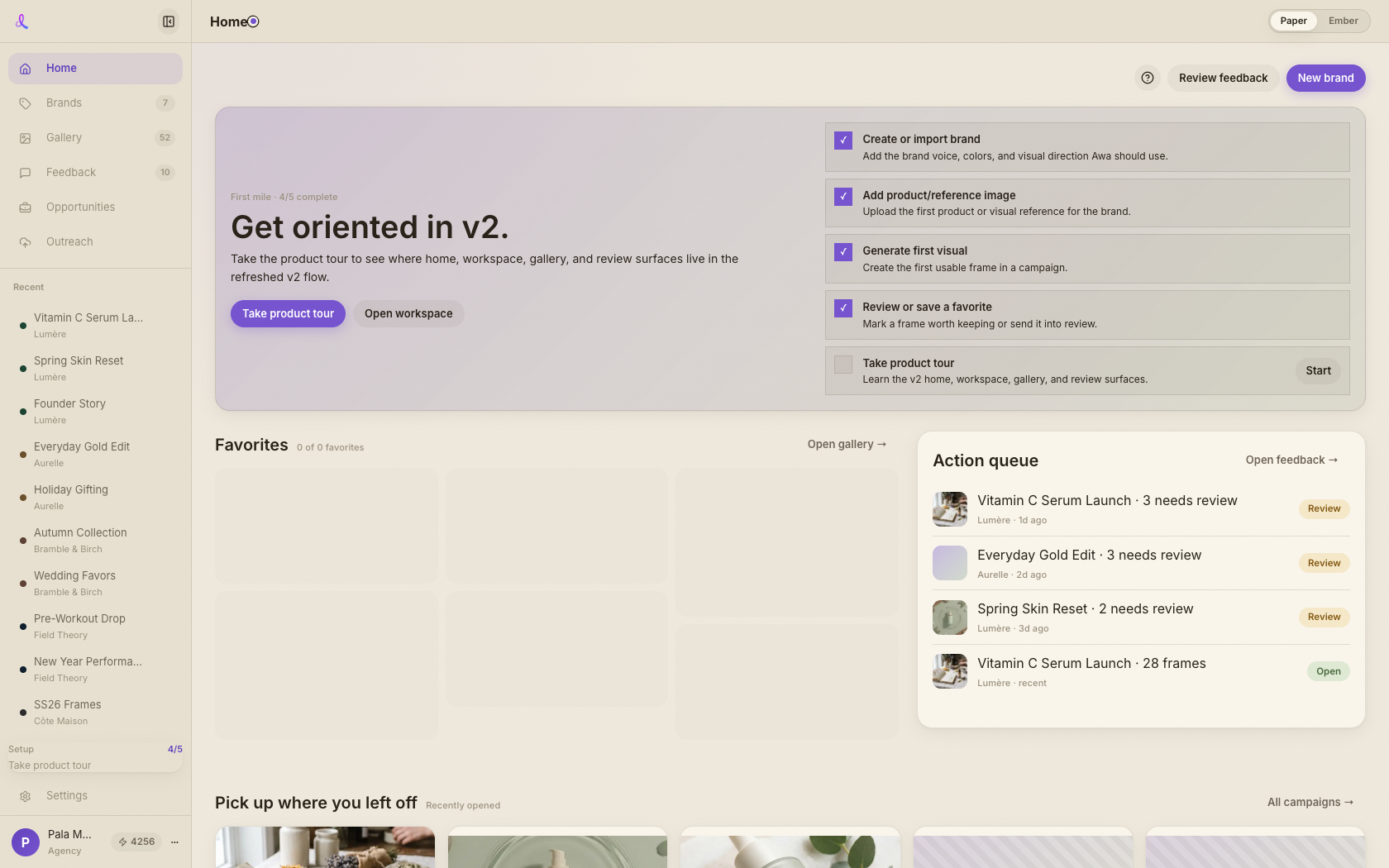
Home is your studio's front door — favorite frames up top, the campaign you were just in one tap away, an action queue for anything waiting on you, and every brand within reach.
How it works
No hunting for where you left off. Home surfaces your best frames, your last campaign, your review queue, and your brands the moment you land.
The Favorites mosaic up top holds every frame you've starred. Click any tile to jump straight back to the campaign it came from.
The Action queue on the right collects review rounds and concept decisions waiting on you. Tap a row to open the feedback or campaign behind it.
Below the fold, your recently opened campaigns and your brands sit side by side — one tap back into any workspace.
A glanceable studio dashboard, not a blank start page.
Keep exploring
Brands is your home wall — one card per client, each showing its latest work, its campaigns, and a way in. Create a brand, open it to its campaigns, and search or sort the whole shelf at a glance.
Learn moreEvery frame from every campaign lands here — filter to the ones you want, star the keepers, then share a clean review room with your client or export them in one zip.
Learn more