
Import your leads
Upload a CSV — email plus a domain is the minimum per row. Add company, decision maker, or a specific product URL when you have them. Invalid rows are filtered out at import.
Outreach Factory
Cold email works better when the prospect sees their own product, upgraded. Import a CSV of leads, let Dezygn find each brand's product and generate custom visuals, pick the winners, and export a CSV that drops straight into Instantly.
How it works
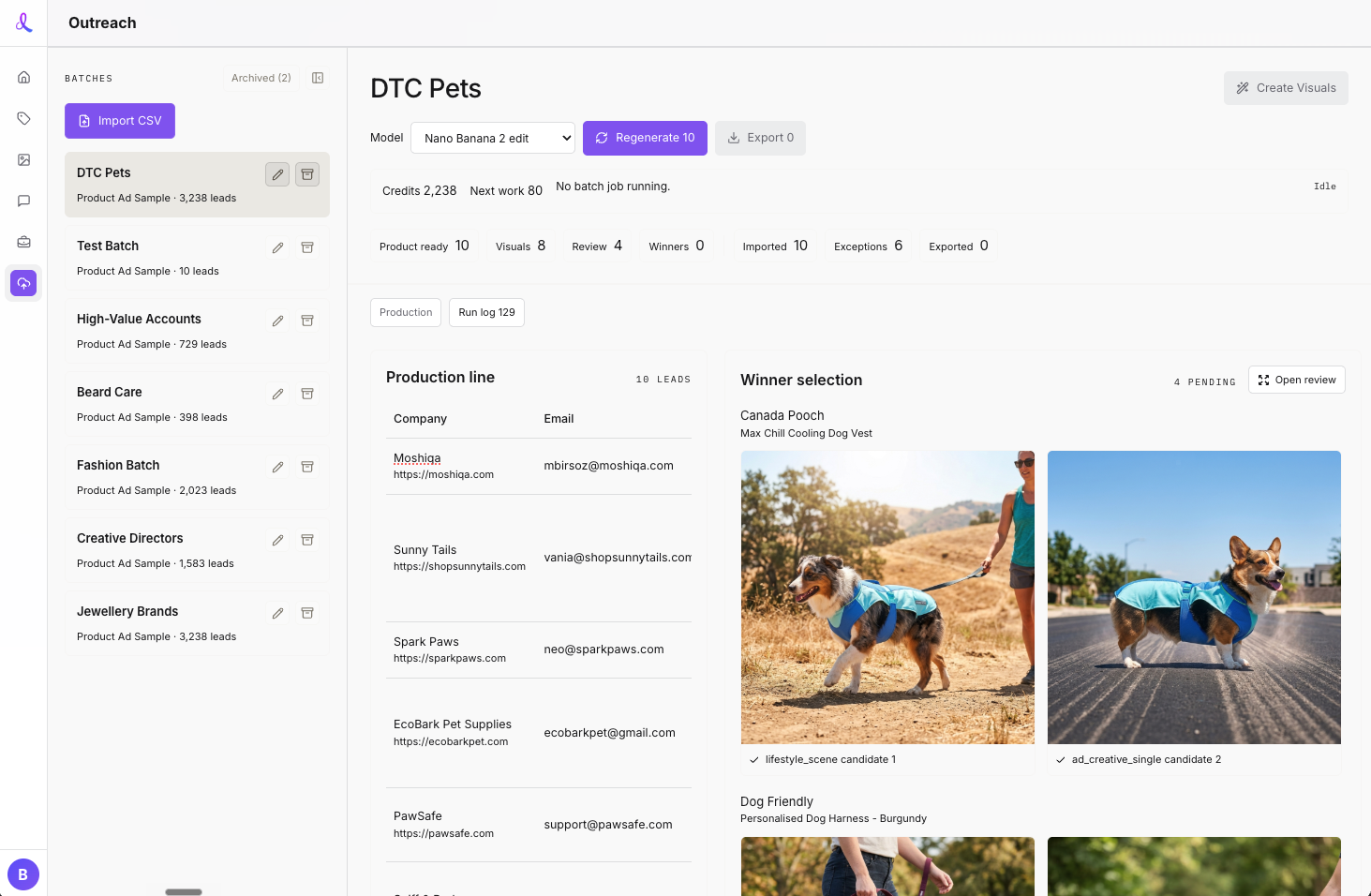
One batch dashboard runs the whole production line — import, discovery, strategy, generation, review, export.
Upload a CSV — email plus a domain is the minimum per row. Add company, decision maker, or a specific product URL when you have them. Invalid rows are filtered out at import.
For each lead, Dezygn visits the brand site, finds the most relevant product, and collects product images plus a brand fingerprint — colors, photography style, price tier, customer. Discovery is cached so reruns don’t re-pay for it.
Instead of forcing every lead into one template, an AI creative strategist scores three modes — product hero, lifestyle scene, or ad creative — and picks the strongest visual argument per brand. Two distinct candidates are generated per lead.
Compare each candidate against the brand’s original product photo, pick a winner or regenerate with custom instructions, then export an Instantly-ready CSV with email-optimized image URLs. Instantly owns sending and replies.
Outreach Factory is an operator tool. Everything that goes wrong in batch generation is inspectable and retryable without leaving the dashboard.
Keep exploring
Outbound is one channel. Opportunities scans Upwork daily for AI photography jobs you can apply to.
Learn moreWhen a prospect replies, brief Awa — your AI creative assistant — to produce the full shoot.
Learn moreOnce a lead becomes a client, align on creative direction before production starts.
Learn moreShow prospects their own product, upgraded — before you've ever spoken to them.