
Apply Kit
Drop an Upwork job in and get the whole application back — the brief read, a tailored cover letter, and 3–5 sample concepts you can generate on the spot. Pitch with the work, not just words.
Updated 2026-07-10
Overview
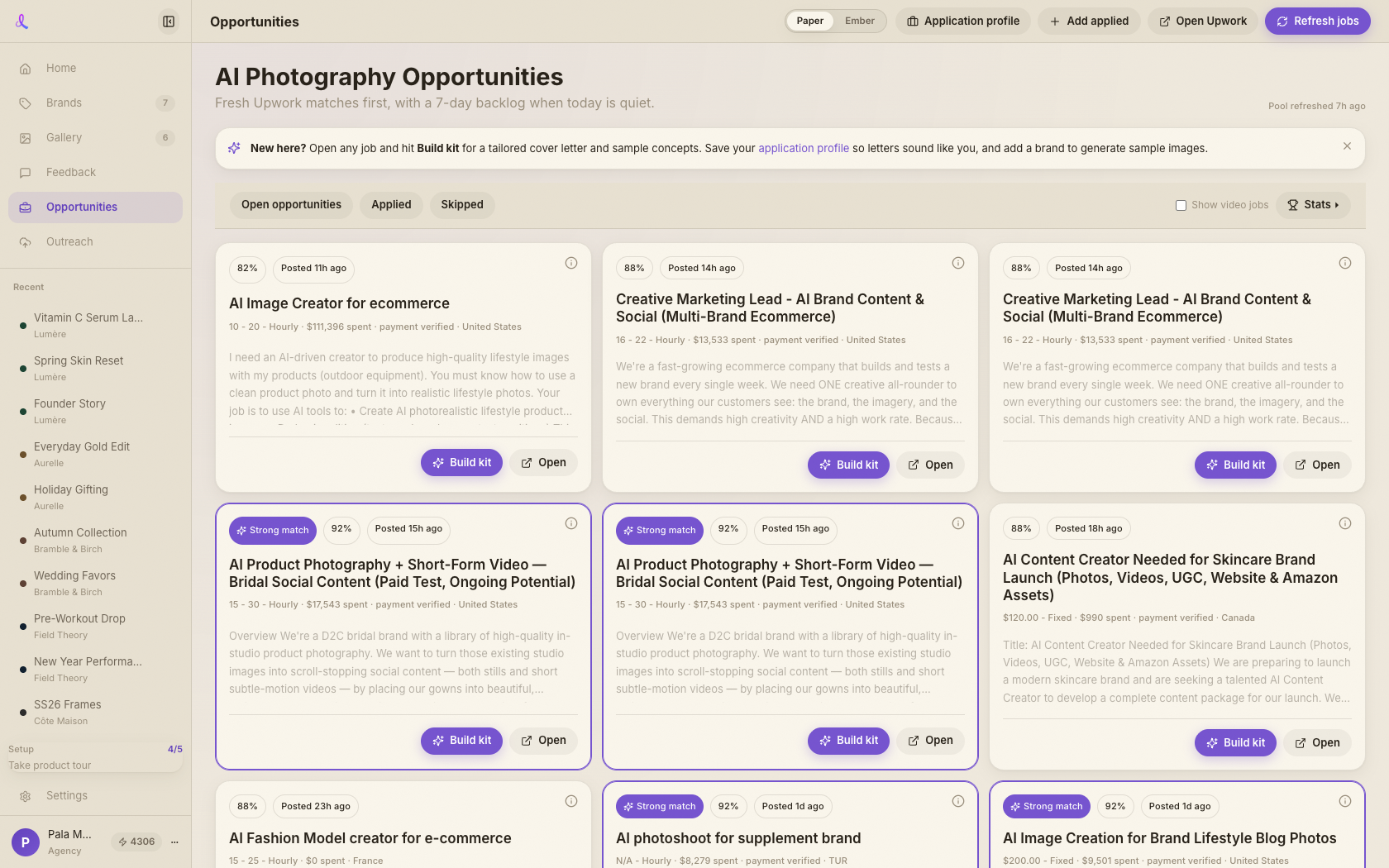
The Apply Kit turns an Upwork job posting into a ready-to-use application package — one pipeline, two doors. Open it from the Opportunities feed (Build kit on any job card) or from the *Proof-Before-Pitch* Chrome extension (Grab this job reads the open Upwork page). Out comes a brief read (what the client actually wants), a tailored cover letter, 3–5 sample image concepts with ready-to-run prompts, and honest risk flags.
The moat is the sample, not the letter. Anyone can write a proposal; the kit lets you walk in with the actual work. Each concept carries a prompt you can generate in one click through the normal image pipeline, so you pitch with proof instead of promises. Cover-letter text is free; sample generation spends credits like any image.
How it works
- Open a gig. From the Opportunities feed, hit Build kit on any job card. The kit opens as a full subpage inside the v2 shell — sidebar and topbar stay put, with a back button and *Open on Upwork* in the header. (Reopening a kit never regenerates; it's cached per user + gig.)
- Read the brief. A 2-line brief teaser sits up top. *Full brief & risks* opens the complete analysis plus honest risk flags in an overlay, so you know exactly what the client wants before you commit.
- Edit the cover letter. The left column holds an editable letter with a fixed, proven shape: a remark on the post, your fit (skills from Dezygn + your profile), and a free-sample close. Copy, Regenerate, or tweak the wording — edits persist on blur, and the text is free.
- Generate the samples. The right column lists the sample concepts, each with a ready-to-run prompt. Pick a Model (it mirrors the composer), see the per-image cost, and render one — or Generate all in a single confirmed pass. Save samples into a brand + campaign, or Refine in campaign to keep iterating in chat.
- Attach reference images (optional). Paste, drop, or attach up to 6 images — job-posting screenshots, the client's current creatives, product photos. The brief read and cover letter respond to what's shown, and sample generation builds directly on top of the reference instead of starting from a blank prompt.
- Research the client (optional, 6 credits). Paste the client's website and the kit browses it for their real product photos and brand style. Add a discovered photo as a reference with one click, then regenerate so the letter and samples speak the client's actual brand language.
- Apply with proof. Mark the gig applied, head to Upwork, and bring the work with you.
What's in a kit
- Brief read — a plain-language summary of what the client is actually asking for, separate from how the post is worded.
- Risk flags — honest gaps or red flags worth knowing before you spend time applying.
- Cover letter — hook-first, tailored to the post and your profile, with a free-sample close (it asks for the product, or offers to make it directly if the product is already in the post). Editable, copyable, regenerable.
- 3–5 sample concepts — each a distinct image idea with its own ready-to-run prompt, a model picker, and a visible per-image credit cost.
- Generated samples — once rendered, they live on the kit and can be saved into a brand + campaign or handed to the campaign chat for refinement.
Related articles
Didn't find what you needed?
Tell us what you're stuck on — a real human reads every message and replies within 24 hours on business days.