Product Prep
Crop, resize, remove background, and upscale a product photo before you generate with it.
Updated 2026-06-11
Most client product photos arrive as they are: busy backgrounds, low resolution, awkward crops. If you hand the AI a photo of your bottle on a cluttered counter, it has to deal with everything else in the frame too. Product Prep is the cleanup bench where you remove that noise before generating — it lives inside Ingredients, part of the same flow as organizing.
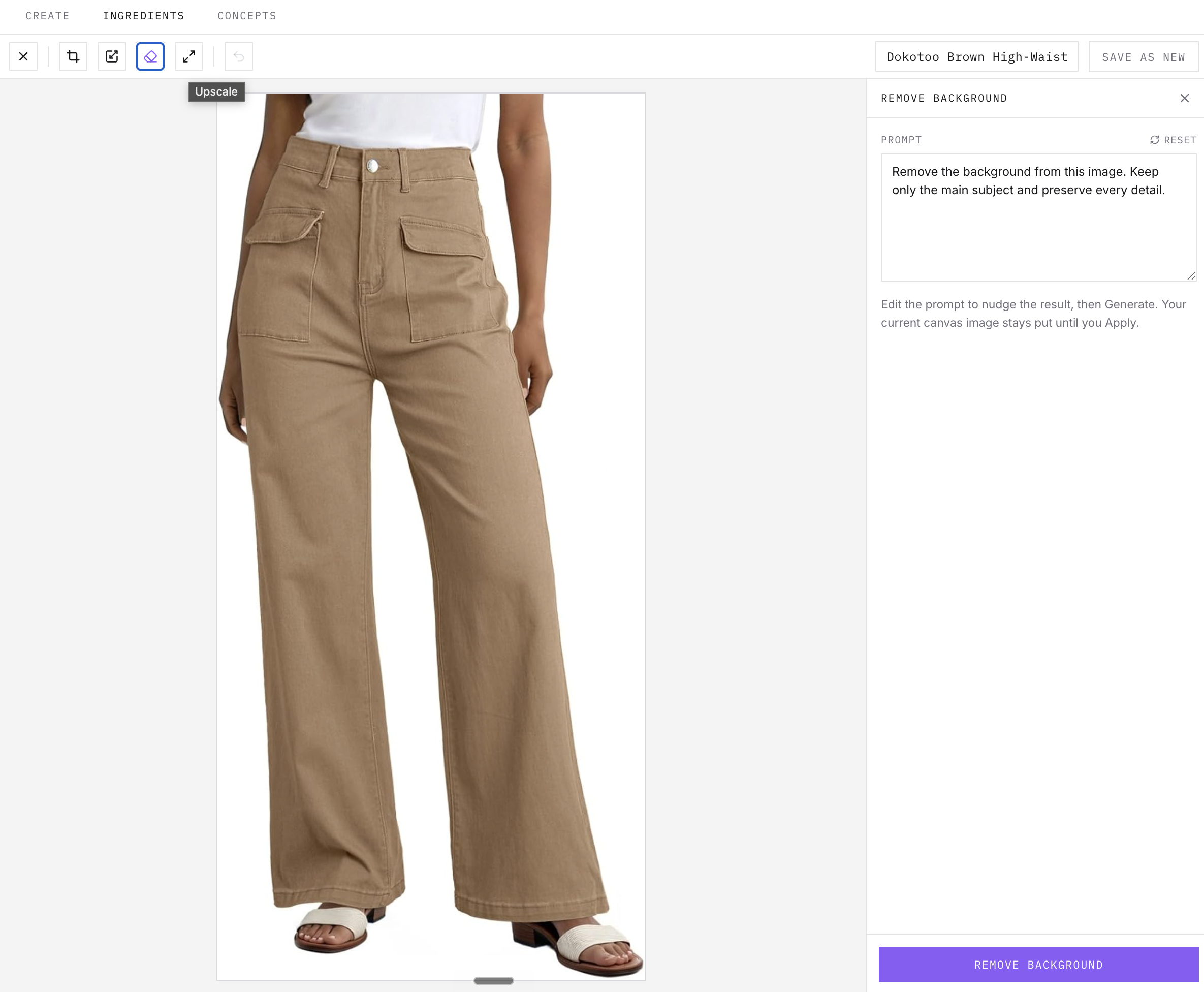
The prep workspace
- 1Open an ingredient’s detail drawer and choose Open Prep — the prep workspace takes over the tab.
- 2Crop to just the product, and resize if needed — both apply instantly in the canvas.
- 3Remove background isolates the main subject and preserves its detail; AI upscale raises the resolution. Both show a before/after comparison so you decide whether to apply or discard.
- 4Save as new writes the prepped version as a separate ingredient. Your original source file is never overwritten.
Related articles
Didn't find what you needed?
Tell us what you're stuck on — a real human reads every message and replies within 24 hours on business days.