A tour of the dashboard
The home screen, sidebar, recent chats, and account menu — how the new interface is organized.
Updated 2026-06-11
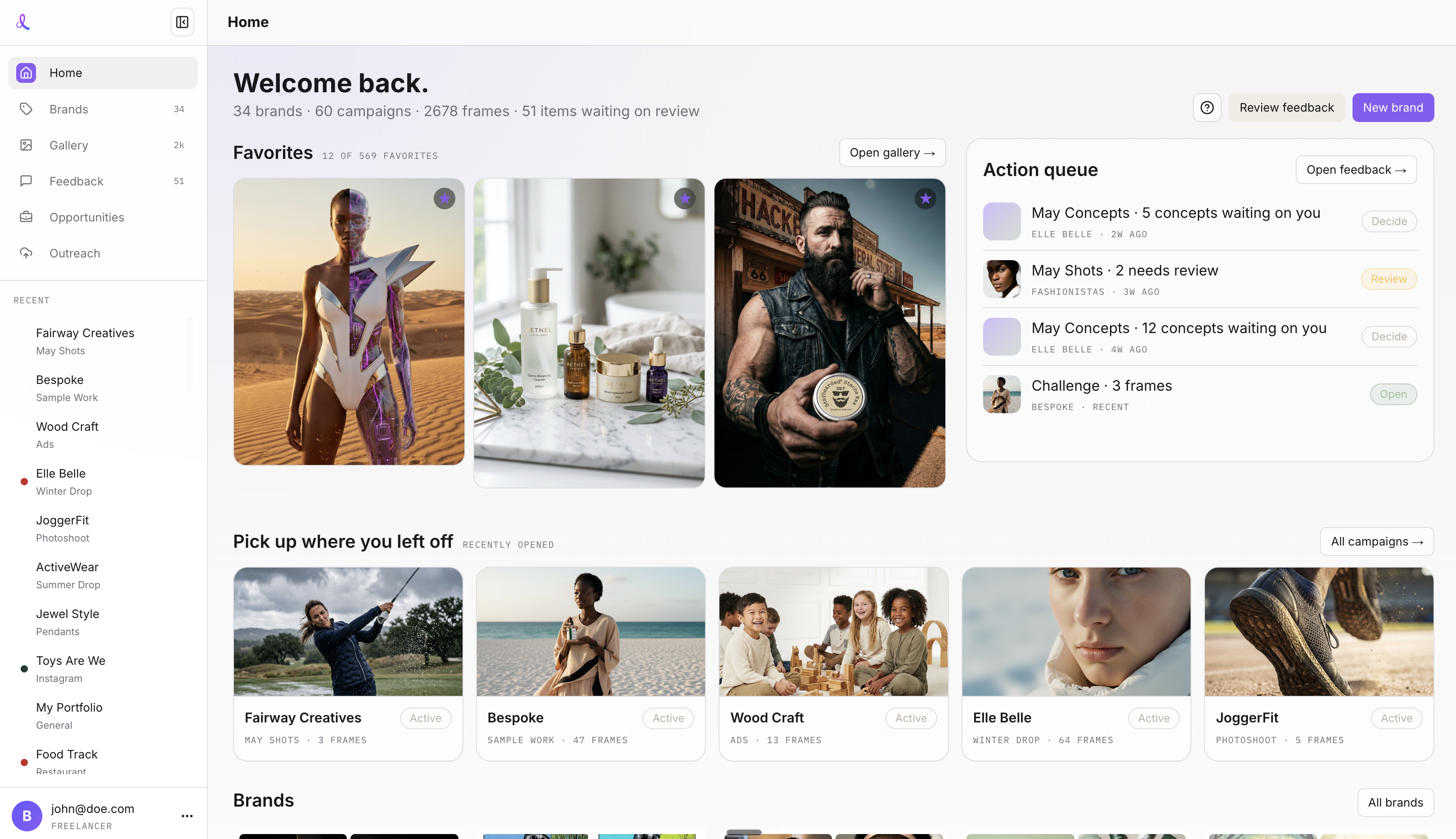
The dashboard is built around a collapsible left sidebar and a visual home screen. Everything you produce lives under a Brand (the client) and a Campaign (the specific shoot or deliverable), and the navigation follows that structure.
Home
Home is a summary of every other tab, in one glance. At the top is the Favorites section — your latest starred images across all campaigns, your best work in one strip. Below it: the action queue (the latest client feedback waiting on you, tied to the Feedback page), your recently opened campaigns, and your brands. Each section is a shortcut into the matching sidebar tab.
The sidebar
- Brands — every client you work with, with image-led cards and quick actions.
- Gallery — every image you have generated, in a mosaic grid with filters.
- Feedback — your global review inbox for client feedback and concept approvals.
- Concepts — brand-level concept review rounds.
- Opportunities — the Upwork job feed for AI photography work.
- Outreach — the Outreach Factory batch workflow for cold outreach visuals.
- Recent chats — your latest campaign conversations. Star a campaign and it pins to the top of the sidebar, so the clients you are actively working with are always one click away. The sidebar collapses from the logo.
Account menu
The account menu (top right) shows your signed-in email and holds Settings, Logout, and the switch between the new interface and legacy v1. A notification bell next to it opens a quick feedback inbox from anywhere.
Related articles
Didn't find what you needed?
Tell us what you're stuck on — a real human reads every message and replies within 24 hours on business days.