Share work with clients
Send a clean review page where clients decide on each image — one link that holds every revision round.
Updated 2026-06-11
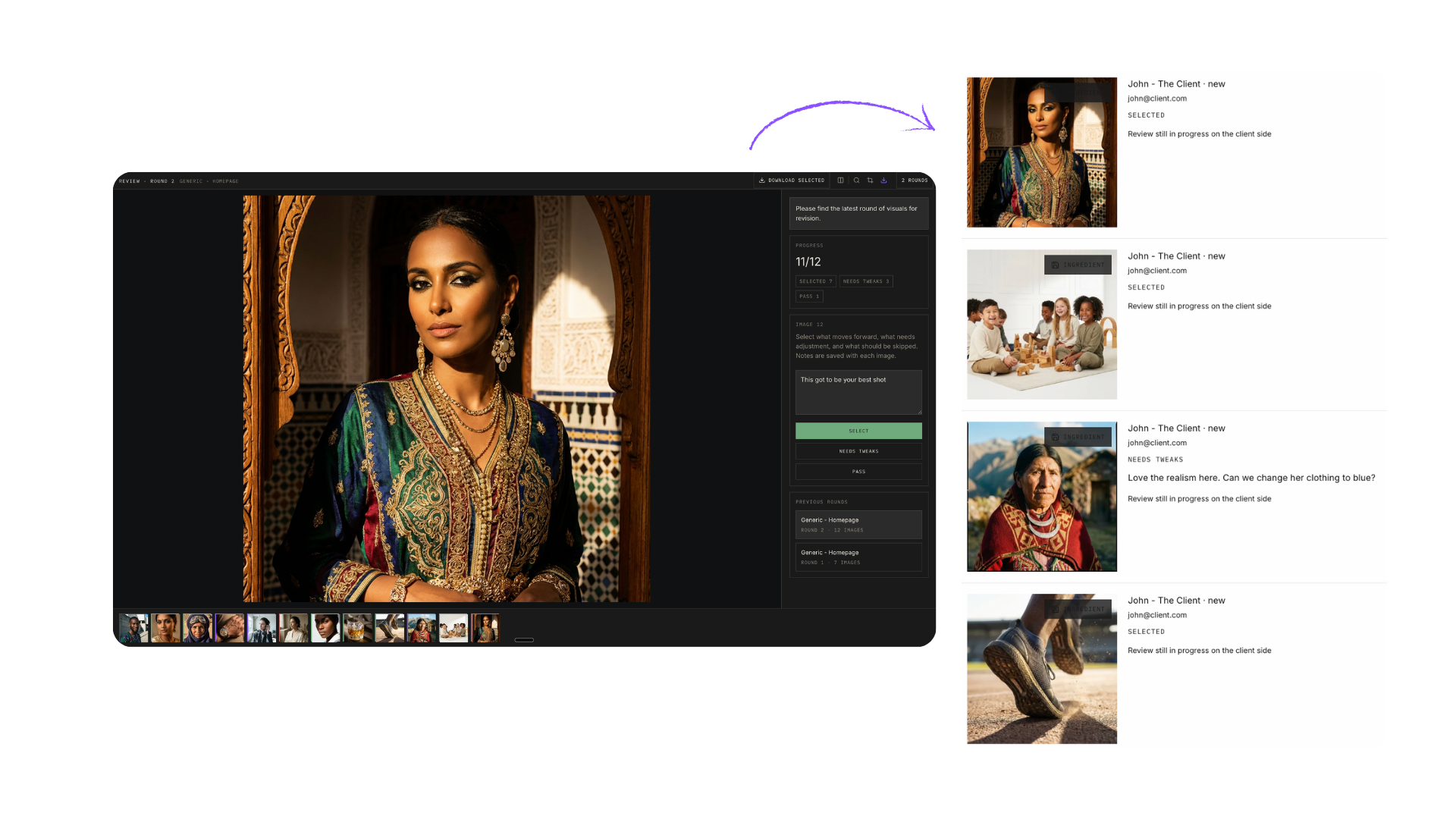
When a round of work is ready, you do not email attachments — you share a review page. Select images in the Gallery, hit share, and you get a stable public link to a clean page with no app chrome: just the images and a simple way to react to each one.
Creating a share
- Optional message — a note that appears at the top of the share page (most of the time you can leave it empty).
- Allow feedback — on by default; this is what lets the client respond per image.
- Apply watermark — overlays your logo on the images. A trust decision: clients can otherwise download and use the files freely. We almost never use it — most clients are honest — but it is there if you want it.
What the client sees
- They enter their email first — so when several people at the company review (a designer, then the CEO), you know exactly who said what.
- For each image they make a decision — select it, ask for changes, or pass — and can leave a comment ("love this one, but the label should face camera").
- No login, no account. They respond in two minutes from any device, and they can download or resize anything you shared.
One link, every revision round
Revisions work in rounds on the same link. Client wants 10 images, rejects 4? Fix those and add them as round two — the client opens the same link and sees the rounds as tabs. No more "here is link three of three" emails; just tell them the new round is ready.
Related articles
Didn't find what you needed?
Tell us what you're stuck on — a real human reads every message and replies within 24 hours on business days.