
Brand Import
Paste your website URL and Dezygn browses the live site to build a ready-to-use brand — colors, fonts, tone, and visual style — that Awa uses on every shot.
Updated 2026-06-13
Overview
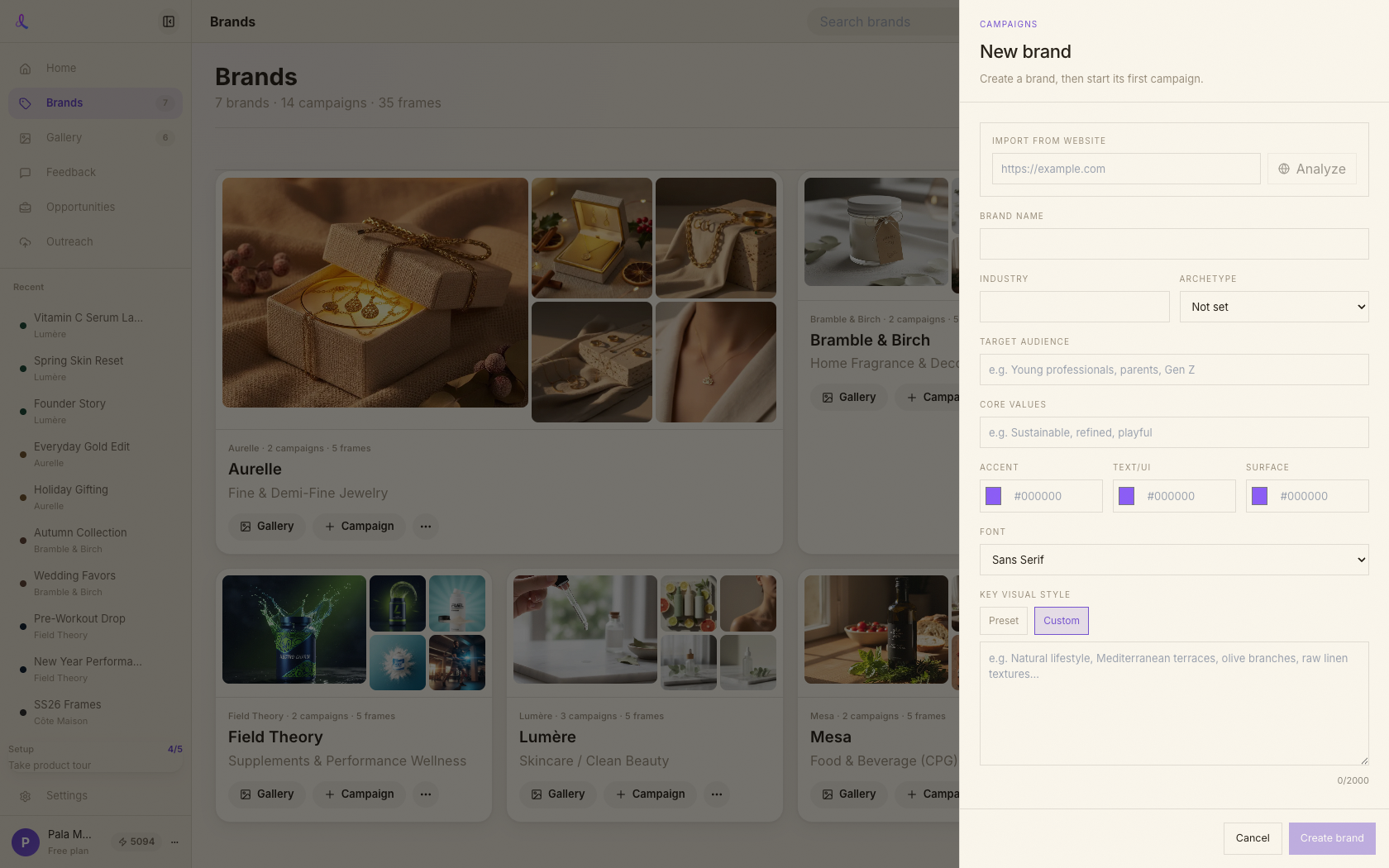
Every project in Dezygn lives under a brand — the client whose colors, voice, and visual style Awa works in. Brand Import is the fastest way to create one: paste your website URL and Dezygn browses the live site, then fills a complete, editable brand profile for you. No questionnaires, no swatch-hunting. You can also build a brand entirely by hand — the import just saves you the setup. Either way, the brand you create becomes the context Awa uses on every shot.
How it works
- Open New Brand. Start a new brand from the Brands area; the brand drawer opens with an *Import from website* field at the top.
- Paste a URL. Drop in your site (e.g. https://yourbrand.com) and click *Analyze*. Any public site works.
- It reads the real pages. Dezygn doesn't just grab a logo — it actually browses the live site: homepage, product pages, and about page. A deep read takes 60–120 seconds, and you'll see staged progress ("Opening the site… / Reading pages & product photography… / Building your brand profile…") while it works.
- Review and edit. The form fills with evidence-based values — colors, font, archetype, audience, and a rich visual style. Every field stays editable, so adjust anything that doesn't feel right before saving.
- Save, or do it manually. Saving stores the brand along with its brand fingerprint (the structured evidence Awa reads). No site to import? Just skip the URL field and fill the form yourself — the brand behaves identically.
What gets imported
From a single URL, Dezygn extracts:
- Colors — primary and secondary, pulled from the actual site and normalized to clean hex.
- Fonts — the typographic style and feel of your brand.
- Personality — a brand archetype (e.g. *Luxury / Premium*, *Disruptor / Edgy*, *Professional / Established*, *Value / Accessible*).
- Target audience — who the brand speaks to, in plain language.
- Visual style — a generation-ready description of your look: key materials, lighting, mood, and recurring visual elements, written so Awa can reproduce it.
- Key visual elements — the signature details that make your photography recognizably yours.
Everything imported is a starting point, not a verdict — it all stays editable in the preview before you save, and you can revise the brand anytime afterward.
Related articles
Didn't find what you needed?
Tell us what you're stuck on — a real human reads every message and replies within 24 hours on business days.