Chatting with Awa
How the conversation works: briefs in, reasoning steps, images out, iterate until client-ready.
Updated 2026-06-11
Awa is a chat-based AI creative director trained on professional AI photography technique. You describe what you want in plain language; Awa handles the engineering — writing structured prompts, generating, editing, critiquing quality, and iterating until the result is client-ready.
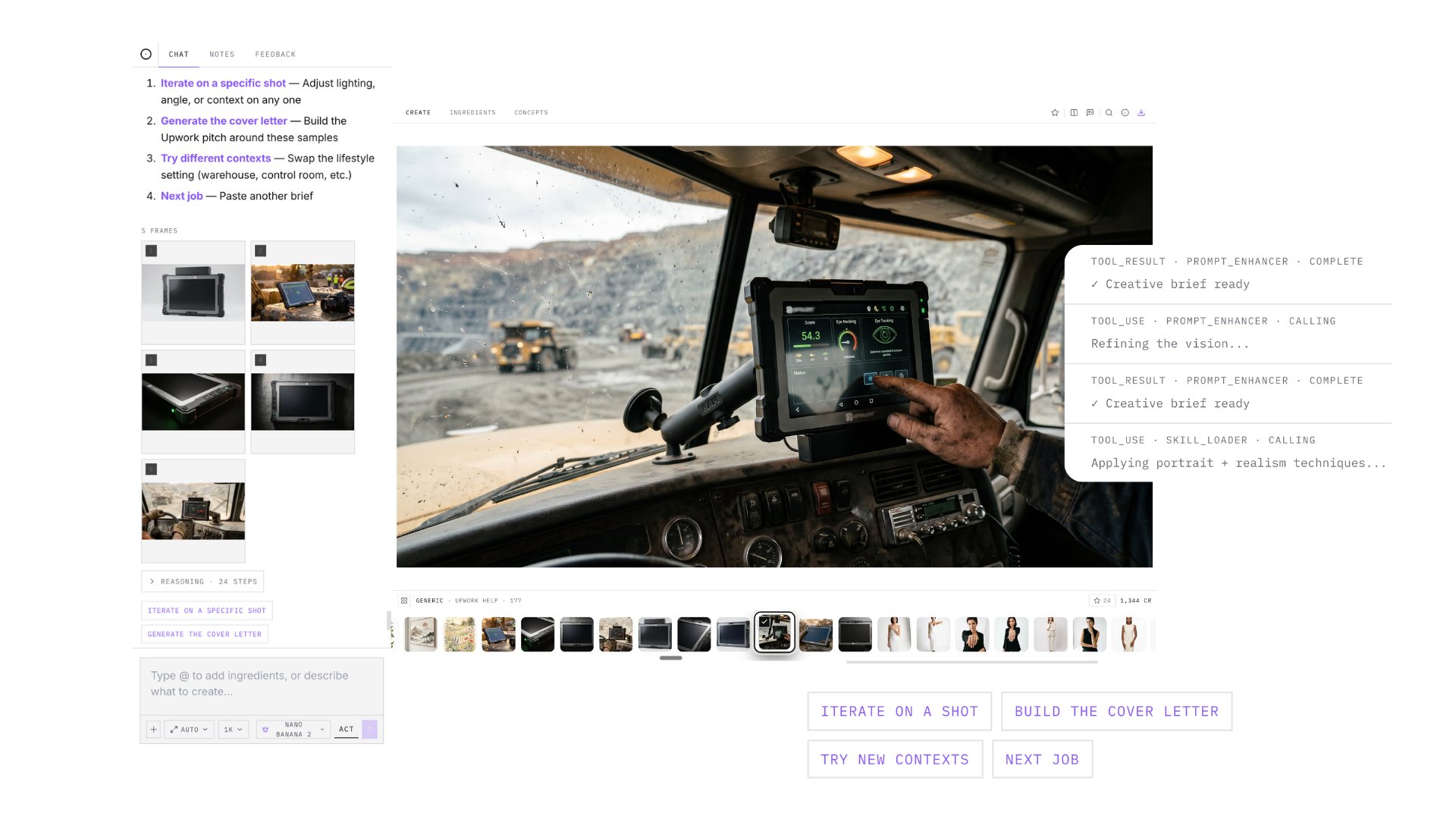
What a conversation looks like
- Messages render with timestamps and visible reasoning steps, so you can see how Awa is approaching the brief.
- Awa answers in formatted text — headings, lists, tables — and offers quick answers as clickable chips below its replies. Clicking one drops it into the chat, which is the fastest way to carry the conversation forward.
- Generated images appear directly in the chat and on the Create canvas at the same time.
- Reply to a specific frame to request an edit of exactly that image.
- Hit stop at any time to cancel a generation in progress.
Brief like a pro
Awa speaks Visual Syntax — the six ingredients of every commercial image: Style, Subject, Action, Scene, Camera, Brand. You do not have to write structured prompts yourself, but the more of those six you specify ("85mm, editorial luxury, golden hour, brand burgundy #6E1F2A"), the fewer iterations you need. Awa also keeps campaign context — it recalls the recent conversation (around 20 messages back), so "same scene, swap the product" works without re-explaining everything.
Didn't find what you needed?
Tell us what you're stuck on — a real human reads every message and replies within 24 hours on business days.