
The Gallery
Every image you have generated, browsable by brand and campaign — and the launchpad for sharing.
Updated 2026-06-11
The Gallery is the archive: every frame from every campaign, in an image-first mosaic grid with a single compact control bar. No card clutter — just the work.
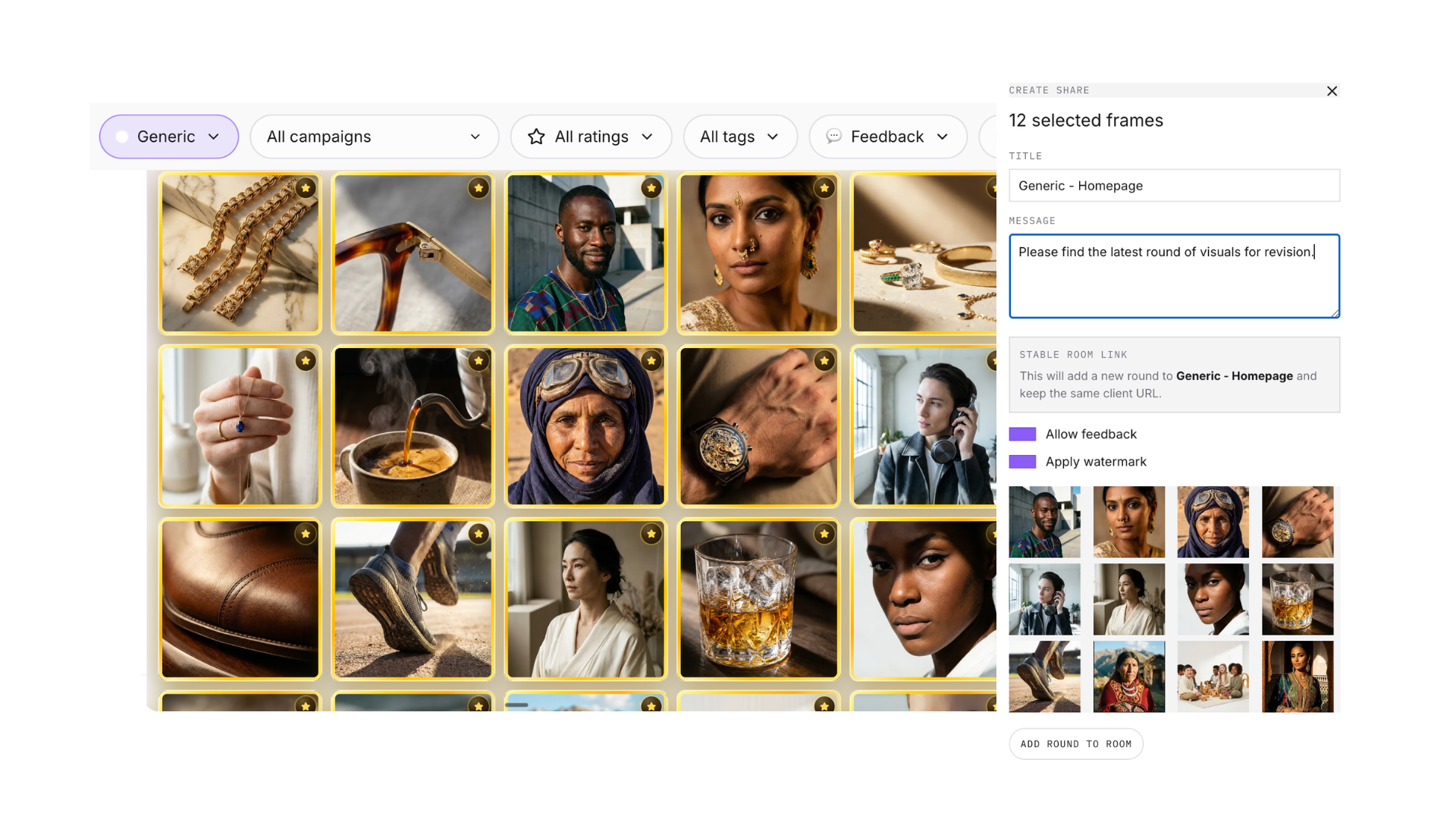
- Pick a brand at the top, then narrow to one of its campaigns.
- Sort and filter by tags, feedback status, newest/oldest, and favorites.
- Open any image for full-size inspection and per-frame actions.
- Select images and share them — this is where client review links are born (see "Share work with clients").
- Export selections as a ZIP when it is time to deliver final files.
The working rhythm: generate 10–30 images in a campaign, favorite the best as you go, then come to the Gallery, filter to favorites, inspect them properly, and share the winners with the client.
Didn't find what you needed?
Tell us what you're stuck on — a real human reads every message and replies within 24 hours on business days.